Ask Lume
Lume is the assistant built into your dashboard: ask how something works or what is going on, or have it make the change for you.
Use this guide to see what Lume can do before you ask it. Lume answers from Meerlume's guides and your own setup, looks things up in your account, and makes changes once you confirm them. It is on every plan, Free too.
Open LumeWhere to find it
Choose Lume in the sidebar. Your past conversations with Lume are kept there too, so you can pick one up again. On the support page, Ask Lume opens it right there, for something that is wrong.
Ask how something works, or what is going on
Lume answers from the guides and from your own account: your bots and the channels they are on, conversations and contacts, bookings, services, staff and opening hours, your notifications and integrations, and your plan and usage.
- “Why didn't I get a notification for the last booking?”
- “How many conversations have I had this month?”
- “Which of my bots is on WhatsApp?”
- “How do I put the chat on my website?”
What customers wrote is off until you turn it on
Lume can list your conversations with their titles, customer names and status. To have it read the customer's messages and answers, switch on Read what customers wrote in Settings, under Lume. What it reads is sent to the AI model that writes its answers, with email addresses and phone numbers replaced where they are recognised.
Have it make the change
Ask for a change and Lume shows you exactly what it will do. Nothing changes until you confirm.
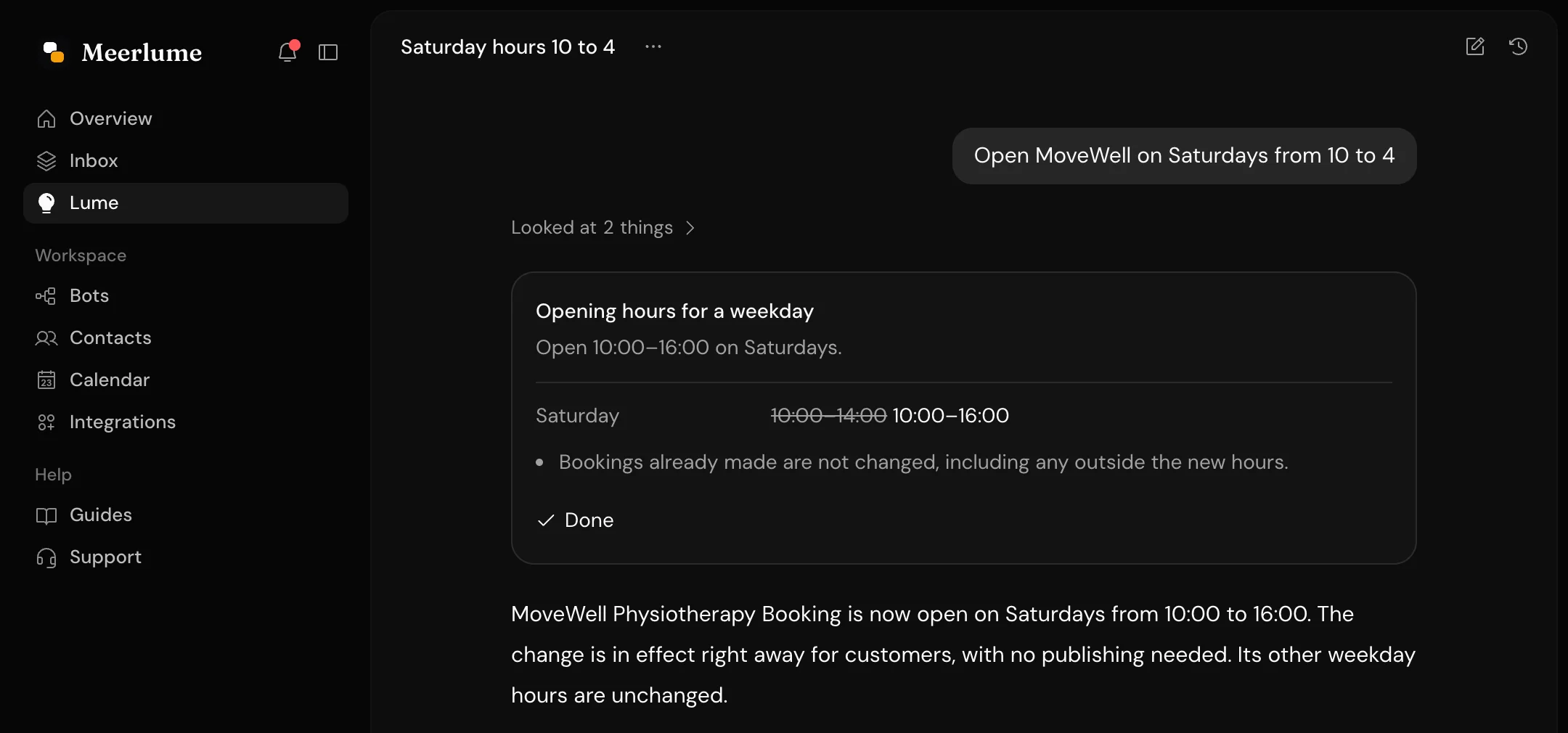
- Build a bot from a description, or change what a bot says and asks. Attach up to two PDFs or images, such as a menu or a price list, and Lume reads them.
- Set up services, staff, opening hours, closed days and special hours.
- Publish or unpublish a bot.
- Add website chat and choose how it looks.
- Choose your notifications.
- Open the connect dialog for Telegram, WhatsApp, Messenger, Instagram, Stripe, Slack or Notion, where you finish connecting.
- Fill in a request to the Meerlume team when something is wrong that you cannot put right yourself. You read it and send it.
Undo
Changed your mind? Ask Lume to undo it. It puts back changes it made in the same conversation, the latest first, and shows you what goes back before it does.
Messages each month
- Free: 50 messages a month
- Starter: 300
- Growth: 1,000
- Pro: 3,000
A message is one you write to Lume. Confirming a change it proposed does not count. The count starts again each month.
From Claude, ChatGPT or Cursor
You can do most of the same from an assistant you already use, by connecting it to Meerlume. See Use Meerlume from your AI assistant.
Related guides
Continue with the next part of the setup once this step is stable.
Use Meerlume from your AI assistant
Connect Meerlume to Claude, ChatGPT, Cursor or another assistant that supports MCP, and build bots, run your calendar and look things up by asking.
Create your first bot
Start from a plain-language description or a template, generate a first draft, and understand what guests can do before signing up.
Set up the calendar
Configure timezone, hours, services, and resources so your bot can offer real bookings instead of just collecting requests.